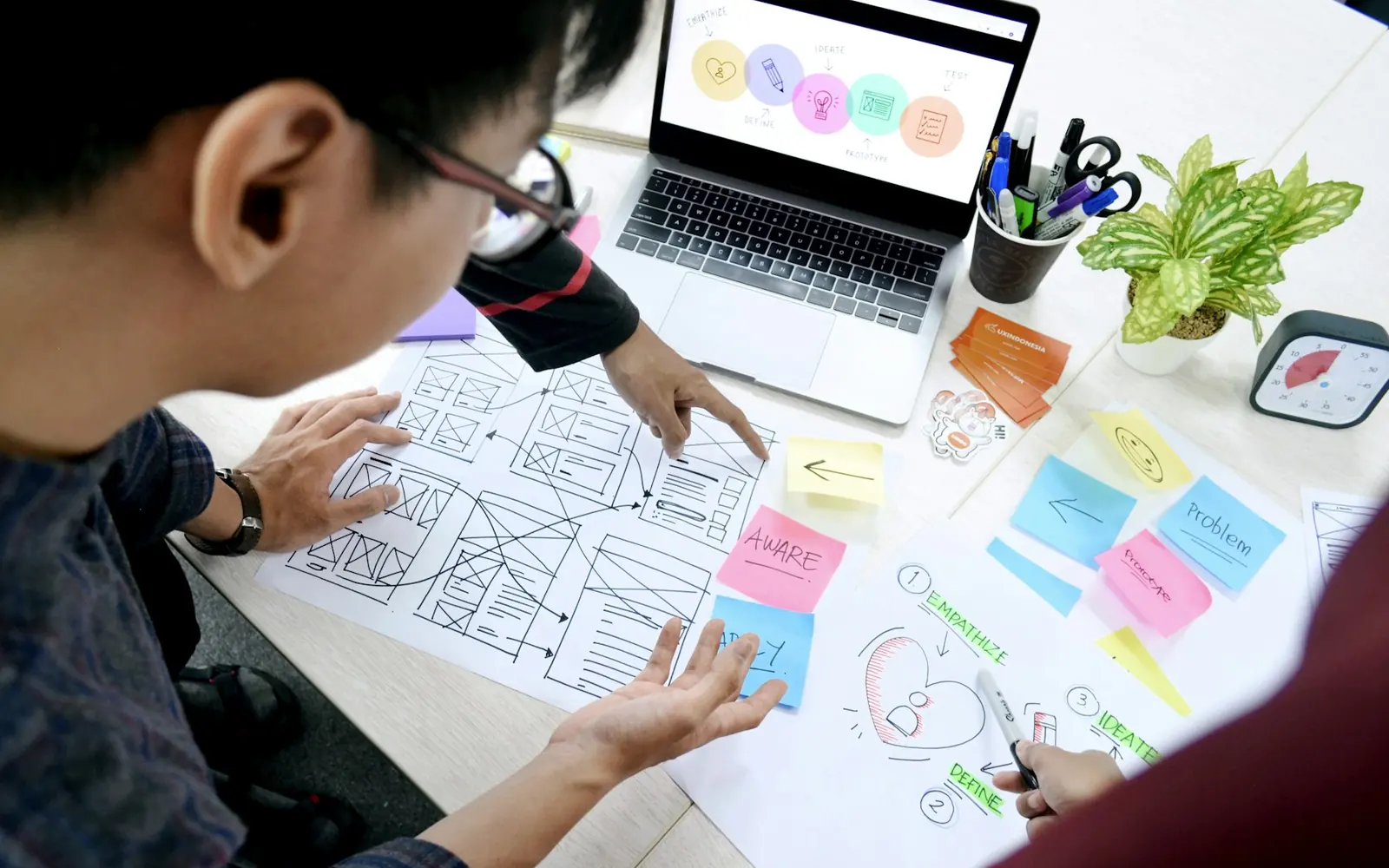
Check access, existing search traffic, page purpose and usability before deciding on a redesign. Fix a specific search problem with the smallest useful change. Choose a redesign when the current structure or interface prevents the site from doing its job.
A new design can make a website easier to use, but it also creates decisions about URLs, content, navigation and images. Those decisions can affect the pages people already find. An SEO review should inform the redesign brief before the visual work is locked.
This guide helps a business owner decide what needs changing and what deserves to be preserved. It includes a page inventory, a practical decision table and a launch review. It does not assume that every low-traffic site needs a new theme.
01 / Start with the pages you have
List the current public URLs. Record the purpose of each page, its title, its main heading and where it is linked. Check whether it loads successfully and whether its canonical URL points to the intended address.
When verified Search Console or analytics data is available, attach the source date and reporting period. Note pages receiving relevant search clicks, referrals or useful visits. An old URL can have value even when it no longer appears in the main menu.
Keep unknowns visible. A page with no analytics setup has missing measurement, not proven zero traffic. A sitemap entry shows that a URL is listed; it does not prove that a search engine has indexed it.
Download the website and SEO review worksheet to organize the inventory before proposing removals or URL changes.
02 / Name the problem before the solution
| Observation | First investigation | Possible scope |
|---|---|---|
| An important page cannot be crawled | Response status, robots rules, noindex and internal links | Targeted technical fix |
| The site has no page answering a relevant question | Search intent and existing topic overlap | A useful new guide or service page |
| Visitors cannot find the next relevant page | Navigation, labels and page relationships | Focused navigation or internal-link changes |
| The interface fails on phones | Actual layouts, controls and content at narrow widths | Responsive repair or a broader interface update |
| The platform prevents needed behavior | Specific constraints and feasible alternatives | A scoped rebuild or migration |
Several problems can coexist. Write each one separately and connect it to evidence. “The site looks old” is a design preference worth discussing; it does not identify why a page is missing from search.
Preserve visual elements that already work. A technical issue may be resolved without changing a hero image, heading or page layout. When a visible change is proposed, review it at the actual desktop and mobile sizes before implementation.

03 / Review what the page actually answers
Compare the page’s promise with its content. A title promising an implementation guide should lead to useful steps, examples or a decision framework. A general sales page may answer a different intent, even if both mention the same phrase.
Check whether the main heading identifies the topic clearly, whether the opening answers the central question and whether supporting sections help someone act. Add evidence you can substantiate. Avoid filling a redesign with invented results or generic claims that could belong to any business.
Keep one owning page for a closely related topic. If two pages serve the same reader decision, decide whether they need clearer roles or consolidation. A redesigned navigation should make those roles easier to understand.
The AI automation guide is an example of a decision-focused format: the article, scorecard and worksheet all support choosing a first project. Its presence is not evidence of a ranking or traffic result.
04 / Preserve useful URLs and relationships
Keep existing URLs when they still represent the same useful content. If a URL must change, document its relevant replacement. Review the mapping with the person responsible for the site before publishing.
Google’s site-move guidance covers URL mapping, redirects and related checks. Use the most relevant destination for moved content rather than sending every retired page to the homepage.
Update internal links to the final URLs, check that canonical signals agree and include the intended indexable URLs in the sitemap. Test old addresses as well as the new ones. Keep account and private pages excluded according to their existing purpose.
Record which changes affect only presentation and which affect content or URL behavior. That makes the scope easier to review and helps explain results later.
05 / Make images part of the page, not its weight
Choose images that support the subject. A photograph can give a guide a human setting; a diagram or an annotated real screenshot can explain a process. Label stock photography as illustrative rather than implying it shows your team or a completed customer project.
Provide responsive image sizes so a phone can request an appropriately sized file. Set dimensions to reserve space, use meaningful alt text for informative images and lazy-load images that appear later in the page. Keep the main above-the-fold image readily available.
Review compression visually. Small files are useful only while the subject and any necessary detail remain clear. Google’s image SEO guidance describes discoverable image elements, descriptive context and performance considerations.

06 / Review the actual release
On a preview, follow the main navigation, a footer link and a contextual link through the proposed journey. Check the pages on a desktop and a phone-width layout. Inspect menu behavior, heading wraps, tables, downloads and form controls.
Test the exact canonical URLs, titles, descriptions and structured data. Make sure temporary preview noindex rules will not remain on intended public pages. Preserve private-page exclusions. Confirm image files load and that the page does not require JavaScript to reveal its main content.
After publication, check the live custom domain rather than relying on a successful deployment message. Verify changed URLs, redirects and source markup. Keep a record of the previous version so a targeted correction is possible if a problem appears.
When comparing results, use matching closed reporting windows. Seasonality, indexing delays and simultaneous content changes can complicate the comparison. A launch check confirms behavior; it does not establish an immediate traffic gain.
Common questions
Should SEO happen before a redesign?
Review current URLs, search evidence and content roles before setting the redesign scope. Use that evidence while planning the structure, then verify the finished implementation.
Will a redesign increase traffic?
It may help when it resolves real access, content or usability constraints. A new appearance by itself does not demonstrate additional search demand or better rankings.
Can I improve SEO without a full redesign?
Often the first useful scope is narrower: repair a discovery issue, improve a relevant page, add useful content or connect existing pages more clearly. Decide from the actual constraints.
Sources & next steps
Use the review worksheet, then explore William’s work across Cacele and WebElevated. The checklist is a planning aid, not a claim about a specific client’s results.